



























Construction Simulator | Arcade Game - Play Online for Free
Step into the operators seat in Construction Simulator. Master heavy machinery, from cranes to cement mixers, in this realistic driving and building sim. Play for free!
Getting Your Hands Dirty in Construction Simulator
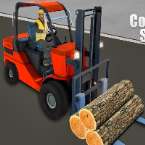
If you’ve ever spent time staring at a construction site through the fence, wondering what it’s actually like to swing a crane arm or haul tons of gravel, this is the game that lets you jump into the operator's seat. Construction Simulator isn't your typical arcade racer; it’s a methodical, satisfying dive into the world of heavy machinery. You aren't just driving from point A to point B—you’re managing the physics of massive loads and the precision required to keep a multimillion-dollar project on track.
The game shines in its variety. One minute you’re navigating a bulky cement mixer through tight city corners, and the next, you’re responsible for hoisting steel beams onto a skyscraper frame. It captures that specific "mechanical" feeling where every turn of the wheel and tap of the brake matters. It’s perfect for anyone who appreciates the "how-it-works" side of big rigs and enjoys a challenge that rewards patience over pure speed.
How to Play
The core of the game is all about mission-based progression. When you start a level, you’ll be assigned a specific vehicle and a clear objective—like transporting materials or positioning a crane for a big lift.
- Precision Driving: You’ll need to follow the on-screen markers to find your cargo or your destination. The "sim" part of the name is real here; if you clip a curb or drop your load, you’re going to have a hard time finishing the job.
- The Landing Zone: Most missions culminate in a "parking challenge." You have to get your vehicle or your delivery exactly into the highlighted zone.
- Task Management: Keep an eye on your surroundings. Navigating a massive truck requires more lead time for braking and much wider turns than a standard car game.
Master the Controls
The interface is kept clean so you can focus on the job site, but mastering the nuances of the machinery is key.
- Movement: Use the W, A, S, D keys or the Arrow Keys to drive your vehicle. W for gas, S for brakes/reverse, and A/D for steering.
- Interaction: Use your Mouse to navigate the menus, select missions, or interact with specific UI elements to toggle crane arms or specialized equipment.
- Spacebar: Typically functions as your handbrake—essential when you’re trying to hold a heavy load on an incline.