







Evo-F3 | Driving Game - Play Online for Free
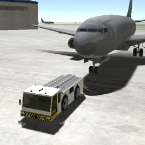
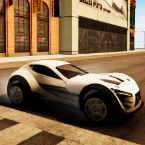
Play Evo-F3 online, a physics-based sandbox driving game set in a large airport. Experiment with vehicles, move objects, and explore freely.
Evo-F3 is the third installment in the Evo vehicle sandbox series, and it leans even more into open-ended experimentation. This time, the action moves to a massive airport environment, giving you plenty of space to test vehicles, move objects around, and mess with physics in creative ways.
It’s not a traditional “win or lose” kind of game. Instead, Evo-F3 feels more like a playground where you can drive different machines, interact with the environment, and see what happens when you push things a little too far. There’s also a mention of multiplayer support planned for future updates, though the current experience is focused on solo play.
How to Play
Once you load into the game, you’re dropped into a wide airport setting filled with ramps, platforms, and aircraft. The main idea is simple: explore and experiment. You can drive vehicles around, reposition objects, and even interact with planes scattered across the map.
One of the more interesting features is the workshop system. Here, you can tweak how your vehicle behaves by adjusting physical parameters. It’s a subtle but powerful tool that lets you change how heavy, fast, or responsive your machine feels, which can completely alter how you approach the environment.
There’s no strict objective pushing you forward, so the fun comes from testing limits—whether that’s stacking ramps, launching vehicles across open space, or just cruising around the airport to see what you can find.
Controls
Getting comfortable with the controls is important since most of the gameplay revolves around movement and interaction:
- W, A, S, D – Drive the vehicle
- Mouse – Interact with objects and environment
- Enter – Reset your vehicle
- R – Repair your vehicle
- T – Slow down time
- C – Change camera view
- Space – Handbrake
- U / J – Move arm up / down
- I / K – Raise / lower fork
These controls give you full control over both driving and handling machinery, which becomes especially useful when interacting with objects around the map.